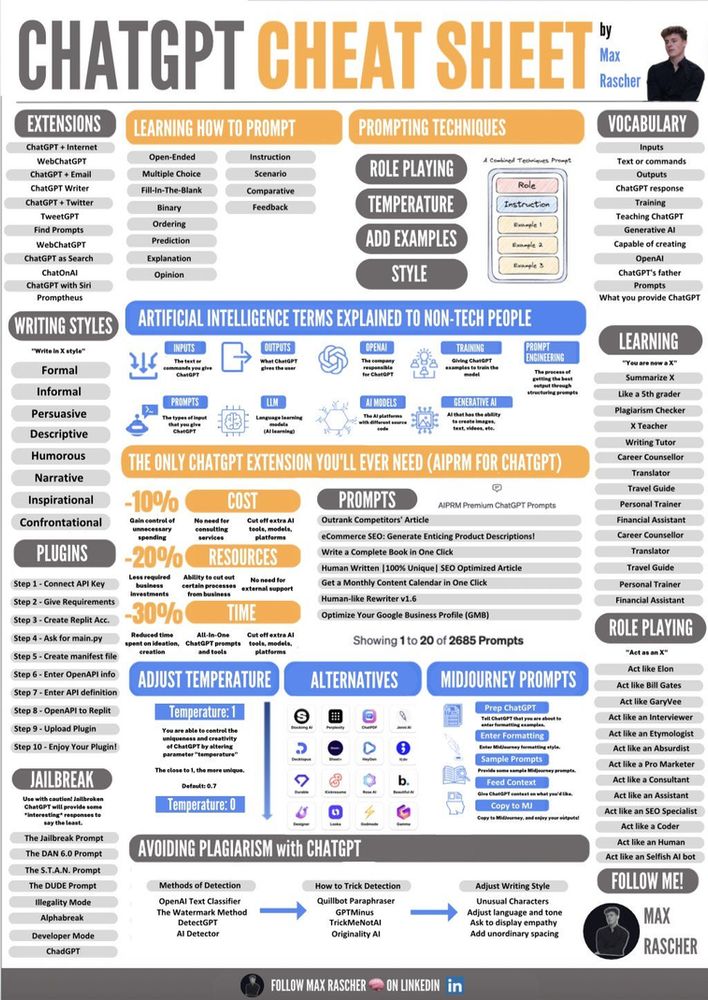
Most ChatGPT cheat sheets you find online are written for the demo, not the workflow. They are catalogues of clever one-liners — “write like Hemingway”, “act as a senior CTO”, “give me 50 viral hooks” — that look productive on a slide and fall apart the moment ChatGPT is wired into something that has to ship. Engineering teams adopting those patterns inherit the failure modes underneath: hedged outputs, hallucinated specifics, missing context, brittle parsing, and prompts that quietly stop working when the model is updated.
This is the working version of the cheat sheet. It is the one we reach for when ChatGPT is being asked to help with code review, log triage, spec drafting, data wrangling, or anything where the output has to be inspected by someone other than its author. It is shorter than the viral PDFs on purpose.
What does a production-grade ChatGPT prompt actually look like?
A prompt that holds up in engineering work has five parts, in roughly this order:
- Role and audience, one line. “You are reviewing a Python pull request for a small backend team.” Not three paragraphs of persona theatre.
- The task, stated as content rather than length. “Identify changes that affect the public API surface and explain the compatibility risk.” Asking for “1,000 words” is asking for padding.
- The format you want back. Markdown table, bullet list, fenced code block, structured JSON with named fields. Pick one and name it.
- The source material, attached — not described. If the model has to guess what is in your document, it will, and the guesses will be confident.
- An uncertainty instruction. “Flag any claim where you are inferring rather than reading from the attached file.” This single line removes most of the hallucination surface in practice.
Five lines beats a thousand-prompt PDF for almost every real task. We have watched teams replace pages of prompt scaffolding with this skeleton and get noticeably better outputs, mostly because the format constraint and the attachment rule do the heavy lifting.
A practitioner reference table
We pin this reference sheet beside the terminal whenever ChatGPT output needs to survive a client review.
| Engineering task | Model class to reach for | Prompt anchor | Output format | Failure mode to watch |
|---|---|---|---|---|
| Code review on a diff | Reasoning model (o-series successors) | Attach the diff, name the language, ask for risks not rewrites | Bullet list grouped by severity | Inventing function names that are not in the diff |
| Log triage | Fast multi-modal default (GPT-5-class) | Attach a log slice, give one example of a known incident | Table: timestamp, signal, hypothesis | Pattern-matching to famous incidents instead of yours |
| Spec drafting | Reasoning model | Attach prior art, name the audience and decision being made | Structured headings with explicit “open question” markers | Smoothing over real disagreements into neutral prose |
| Data wrangling / quick scripts | Fast default | One worked input/output example, then the real input | Fenced code with a runnable test case | Silently changing schema fields to plausible ones |
| Long-document Q&A | Long-context variant with file grounding | Attach the document, forbid answers not anchored to it | Quoted spans + your synthesis | Confidently answering from training data when the file is silent |
| Translation / localisation review | Fast default | Pair source and target, name the register | Side-by-side table with deltas highlighted | Smoothing idioms that should be flagged for human review |
These are observed patterns from our generative-AI engagements; treat the model-class column as 2026 guidance that will need refreshing as the model lineup shifts. The structural advice — attach, don’t describe; ask for content, not length; require uncertainty flags — has held across three years of model generations and we expect it to keep holding.
Which ChatGPT prompts actually accelerate engineering work, and which only look productive?
The split is fairly clean once you have run a few pilots:
Prompts that accelerate real work tend to compress a step that was already structured. Generating boilerplate from a schema. Summarising a 40-message Slack thread into a decision record. Translating a regex into a comment. Drafting a first-pass test matrix from a function signature. In each case the human keeps editorial control and the model is collapsing something tedious.
Prompts that only look productive tend to outsource judgement that has no audit trail. “Should we refactor this service?” “Is this architecture good?” “Write our incident postmortem.” The output is fluent, plausible, and structurally wrong in ways that are expensive to catch later. The model is happy to commit; the team inherits the consequences.
This is the same feasibility filter we apply at the GenAI use-case feasibility level, but visible at the prompt layer. If a task needs a four-part prompt with attached source material, structured output, tool use, and explicit failure-mode handling, that is a signal it is qualitatively different from a one-line query — and that difference matters for whether it should be automated at all.
Prompt anatomy for the four most common engineering uses
Code review
You are reviewing a diff from a Python backend repo (FastAPI + SQLAlchemy).
The attached patch changes <module>. Identify:
  1. Public API surface changes (breaking or not, with reasoning).
  2. New external calls (DB, network, filesystem) and their failure handling.
  3. Anything you are inferring rather than reading from the diff — flag it.
Return a markdown table with columns: location, finding, severity, confidence.
Log triage
Attached is a 30-minute slice of structured logs from <service> during an
incident on <date>. Known prior: <one-sentence summary of a similar past
incident, if any>. Produce a table of timestamp, signal, candidate
hypothesis, and confidence. Do not propose a root cause; rank hypotheses.
Mark any timestamp where the log content was empty or malformed.
Spec drafting
Audience: backend engineers familiar with <domain> but new to this team.
Decision being made: <single sentence>.
Attached: prior design docs, the relevant ADR, and the meeting notes.
Draft a spec with sections: Context, Decision, Alternatives Considered,
Open Questions. Mark every "Open Question" entry that the attached
material does not actually resolve.
Data wrangling
Input format: <paste one row, with field names>.
Desired output format: <paste one row of the target>.
Write a Python function that performs this transformation and a
pytest test that exercises one edge case (missing field, wrong type).
Do not invent fields that are not in the input.
None of these are clever. They are deliberate about role, source, format, and uncertainty — the four levers that determine whether ChatGPT helps or quietly creates work.
How do 2023-era prompt tricks hold up with 2026 reasoning models?
Most of them have aged badly, and that is a good outcome. Chain-of-thought prompting (“let’s think step by step”), elaborate persona stacking, and forced self-critique loops were workarounds for models that did not reason well. Reasoning-class models do most of that internally now, and stacking the old tricks on top tends to make outputs more verbose without making them more correct.
What still matters in 2026:
- Attachments over descriptions. Native file handling and long context made this the single highest-leverage habit.
- Structured output. Asking for JSON with named fields, or a table with defined columns, makes downstream tooling possible and makes hallucinations visible — a missing field is easier to catch than a smoothly-worded falsehood.
- Tool use boundaries. When ChatGPT can call a search tool, a code interpreter, or a custom function, the prompt has to name which tools are allowed and what counts as “done”. Leaving this implicit is how you get a model that searches the web when you wanted it to use only your attached document.
- Uncertainty flagging. Models still do not volunteer doubt unless asked. Asking remains free.
What we mostly stopped doing: writing 400-word personas, “you are an expert” priming, and demanding the model “take a deep breath”. The performance lift from these never replicated in our work and they make prompts harder to maintain.
From cheat sheet to versioned prompt library
A cheat sheet is a starting point, not a destination. Once a team is using ChatGPT for anything that ships, the prompts need the same hygiene as the code:
- Store them in the repo, not in browser tabs.
- Pin them to a model version where the output is stable enough to depend on.
- Test them against a small set of representative inputs whenever the model changes.
- Track which prompts are doing real work and which are just folklore.
That graduation is where the cheat sheet ends and a governed prompt practice begins. The patterns above are the raw material; turning them into a library is the work.
Frequently asked questions
Which ChatGPT prompts actually accelerate an engineering team, and which only look productive in a demo?
Prompts that compress a structured step a human already understands tend to accelerate real work: boilerplate from a schema, summary of a long thread into a decision record, a first-pass test matrix from a function signature. Prompts that outsource judgement with no audit trail — “is this architecture good”, “write our postmortem” — look productive but produce fluent, plausible, structurally wrong output that is expensive to catch later.
What is the production-engineering version of a ChatGPT cheat sheet (versus the make-money variants)?
Five lines, not five hundred. State the role and audience in one line. State the task as content, not length. Name the output format (table, bullet list, code, structured JSON). Attach the source material rather than describing it. Ask the model to flag where it is inferring rather than reading. That skeleton handles most engineering tasks and is easier to maintain than a thousand-prompt PDF.
How do prompt-engineering patterns from 2023-2024 hold up in 2026 with reasoning models?
Mixed. Attachments, structured output, tool-use boundaries, and uncertainty flagging matter more than ever. Chain-of-thought prompting, persona stacking, and forced self-critique have largely been absorbed by reasoning models and now add verbosity without correctness. We stopped writing 400-word personas and “take a deep breath” priming; we kept attaching files and asking for JSON.
What should not be asked of ChatGPT in a production engineering context, and why?
Questions whose answers will be acted on without inspection — architectural verdicts, security sign-offs, postmortem narratives presented as fact, regulatory determinations. These produce fluent text with no traceable reasoning, which is the worst combination for an audit later. ChatGPT is useful as a drafting and compression tool inside a workflow where a human stays accountable for the output.
Is ChatGPT safe to use for confidential or regulated data?
It depends on the tier and the contract. ChatGPT Team / Enterprise / Edu and the OpenAI API carry data-handling commitments (no training on your data, retention controls, regional deployment options) that satisfy many enterprise requirements. The free / Plus consumer tier does not. For regulated data — health, financial, classified — the gating questions are whether your contract explicitly covers the data class, whether your residency posture is satisfied, and whether there is a documented DPIA or equivalent. Default consumer accounts are not the right place for any of this.
Getting Maximum Value From Your Prompts
Three key patterns emerge across every successful ChatGPT interaction: specificity in your requests, context for the AI to work with, and iteration based on initial outputs. That answer is workload-specific, and it is worth writing down before you build.
For the broader practitioner reference this article hangs off, see the ChatGPT cheat sheet for engineering teams. Programme context across our generative-AI work lives under Generative & Agentic AI R&D.
Image by Freepik