The benchmark finished in 90 seconds. The workload runs for 16 hours.
Short GPU benchmarks capture silicon behaviour at the beginning, under favourable thermal conditions, before clock governors engage and before cooling systems reach steady state. AI inference workloads run for hours. Training jobs run for days. The gap between what the benchmark measured and what the production workload actually delivers is not a defect in the benchmark — it is a physics problem that short tests cannot, by construction, see.
GPU stress testing is the practice of running sustained, demanding workloads long enough that the thermal and power regime stops moving. For AI deployments, it is not an optional quality check. It is the measurement that reveals whether what the benchmark promised will actually be delivered when a real inference service has been answering requests since Tuesday.
One clarification before the mechanisms, because it is the part most readers skip. “Steady state” names the regime a deployed workload lives in — hours of continuous compute. It is not something a measurement can assert about a machine’s thermal condition. What a disciplined run declares is narrower and more honest: a warm-up phase discarded, then completed iterations counted inside a continuous timed window. The integrity of the figure comes from the window being declared, not from the window being long.
What sustained load exposes that benchmarks don’t
Identical short-benchmark scores can hide 15–30% differences under sustained load. That range is an observed pattern across the kinds of server-class accelerators that end up in AI infrastructure, not a benchmarked rate for any particular device pair, and it appears from two distinct mechanisms that short benchmarks don’t reach.
Thermal throttling. GPUs operate within a thermal envelope. When die temperature reaches the thermal design point, the GPU reduces clock frequency to stay within that limit. This happens in seconds to minutes of sustained compute load — well after a 90-second benchmark has already printed its score. Two GPUs with identical peak specifications can have very different cooling solutions, and the one with weaker cooling throttles more aggressively under load. The published boost clock is what the GPU does for a moment; the sustained clock is what it does for a job.
This is also where NVIDIA’s performance states matter. A GPU advertised at its boost clock is reporting a P0 figure — the highest-clock, highest-power state it can briefly hold. Under sustained AI load it spends most of its life in a lower P-state (P2, and at the extreme P8), where clocks and power are pulled down to stay inside the thermal and power envelope. A benchmark’s headline number can therefore reflect a transient P0 clock the workload will almost never see again, rather than the regime the job actually runs in. Reading a P0-flavoured number as if it described the running system is exactly how capacity plans drift.
Power budget management. Modern GPUs allocate power budgets dynamically. Under sustained compute load, the entire power delivery subsystem — VRMs, power distribution boards, chassis wiring — reaches its own operating temperature. Power delivery components that handle a short burst comfortably can limit sustained delivery by roughly 5–15% (observed across chassis-and-PSU combinations we have measured; not a published benchmark), depending on chassis design and component quality. This is rarely visible on the GPU itself; it shows up as a quiet ceiling on the watts the card is allowed to draw.
Both effects are chassis- and environment-dependent. The same GPU in two different server configurations — different cooling paths, different power supply designs, different ambient temperatures — can show around 20% performance variation even with identical specifications. A short benchmark on either system will report similar numbers, because short benchmarks end before either effect becomes significant. This is one face of the broader peak vs steady-state distinction in AI performance: peak describes the silicon, sustained describes the deployable system.
None of this makes peak metrics meaningless, and sustained throughput is not automatically lower than peak on every device. A well-cooled card with generous power headroom can hold its boost clock through a long job. The point is that you cannot tell which case you are in from a number whose window was never stated.
What a relevant AI stress test looks like
Sustained inference or training throughput over a declared window is the relevant test for AI workloads, not synthetic rendering loops. Consumer GPU stress tools such as FurMark and Unigine Heaven run graphics-rendering workloads. They are useful for testing thermal behaviour under rendering load, but the operational profile differs from AI compute in ways that matter at the kernel level.
The compute pattern is different. AI inference and training are dominated by matrix-multiply operations on tensor cores, with optimised paths through CUDA, cuBLAS, cuDNN, and increasingly through TensorRT and torch.compile. Graphics rendering stresses the rasterisation pipeline and pixel shaders. The subsystems under load are not the same, and the heat map across the die looks different.
The memory access pattern is different. AI workloads stream large model-weight tensors and KV caches with patterns that keep HBM bandwidth highly utilised — that is what NCCL collectives, FlashAttention kernels, and PyTorch’s caching allocator are reacting to. Graphics workloads sit on a different texture-memory profile, with much smaller working sets at any given moment.
The duration and stability are different. An AI inference service receives traffic continuously, with variable batch sizes and bursty arrival patterns; a training job sustains near-maximum compute for hours. A synthetic stress test maintains artificial maximum load that no real workload replicates exactly. The point of an AI-relevant test is not to hit some absolute ceiling but to look like the workload the system will actually run, inside a window you can name afterwards.
A meaningful AI stress test should measure:
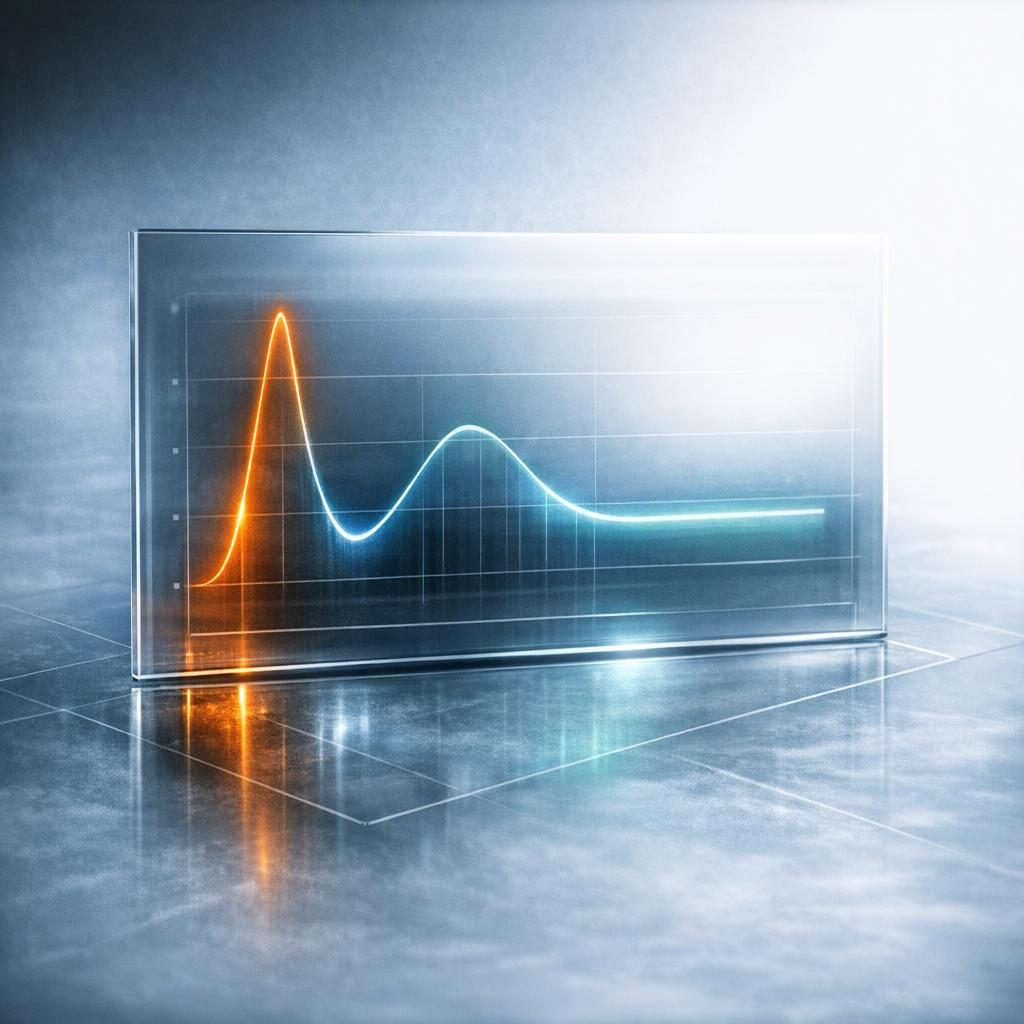
- Throughput inside a declared window — after discarding a warm-up phase, count completed iterations across one continuous timed window. A GPU that starts at 100% throughput and settles at 85% has a 15% gap between its burst and its sustained figure (illustrative example). That is a system-design finding, not a hardware defect.
- Workload size at saturation — raise the batch size until throughput stops improving inside a defined noise band. Each device then reports at its own saturation point rather than at one fixed workload that flatters a device class. Model architecture and numerical precision stay constant; only batch size adapts.
- Die temperature and clock inside the window — where the clock lands relative to the advertised boost clock. The ratio is more informative than either number alone.
- Power draw inside the window — whether the system is hitting its TDP limit, and what the effective power delivery looks like under load, including PSU-level instrumentation if the chassis exposes it.
We deliberately do not prescribe a duration here. A window of a few minutes with the warm-up discarded and the batch size at saturation is more defensible than an hour-long run whose start and end were never recorded. Each timed window is one window, not a median across repeated trials — if you want a distribution, run the window repeatedly and say so.
Stress testing exposes what specs can’t promise
Cooling and power delivery limitations that benchmark scores hide emerge during stress testing—the same GPU in different chassis can show roughly 20% performance variation. That variation is not about the GPU itself. It is about the system the GPU is in. A data-centre-grade GPU in a well-designed chassis, with adequate airflow and a properly sized power supply, delivers its rated sustained performance. The same GPU installed in a chassis with marginal cooling or inadequate power distribution throttles, regardless of what the spec sheet promised.
In our experience, the moment this matters most is when a procurement decision rests on a vendor benchmark whose runtime was measured in seconds. A headline number gets quoted into a capacity plan, production traffic drives the actual sustained throughput well below that figure, and the capacity model needs a redo a few weeks after go-live. A declared-window test is the cheap insurance against that conversation.
What sustained testing reveals vs. what short benchmarks cover
| Measurement | Short benchmark, no declared window | Timed window after warm-up, at saturation |
|---|---|---|
| Peak throughput | Reported | Reported (but not the useful number) |
| Warm-up handling | Included in the score | Discarded before counting |
| Workload size | One fixed size for all devices | Raised per device until throughput plateaus |
| Power delivery limits | Not triggered | Emerges under load |
| Clock behaviour | Near-boost | Whatever the envelope allows inside the window |
| System integration quality | Not evaluated | Observable |
| Real workload prediction | Poor for long-running inference | Good if the workload profile matches |
Evidence class for this table: structural properties of the two measurement designs, not measured rates.
The left column is not wrong — those benchmarks measure what they claim to measure. They simply measure something different from what an AI deployment cares about, which is throughput inside a window that resembles the job. Treating the two as interchangeable is the failure mode; naming the temporal regime each one captures is the fix.
Task duration is part of the same question, and it cuts harder than most readers expect. A long-running coding assistant or an agentic workload that holds the GPU busy for hours sits firmly in the sustained regime — the relevant number is throughput deep into the job, not the burst it managed in the first minute. The longer the task, the less a peak figure tells you about how it will finish, because the hardware has had time to settle into a lower P-state and a power ceiling. When a workload’s natural unit of work is measured in hours, that duration should set the measurement window you trust.
Comparing across vendors when devices saturate differently
Fixed-workload benchmarks fail hardest when comparing NVIDIA against AMD accelerators, or datacentre parts against workstation cards. A batch size that saturates one device leaves another idle, and the resulting table reads as a hardware verdict when it is really an artefact of the chosen workload. The fix is per-device saturation: scale the workload until throughput stops improving inside a defined noise band, hold model architecture and precision constant within the release, and let only batch size adapt.
Two further disciplines make such a table honest. Compare figures only within a single release name — a sustained number from one release is not comparable to one from another, because the software stack underneath moved. And when reading an aggregate score, remember it is an ordinal aggregate over category scores, not a physical quantity and not a 0–100 rating.
When a sustained figure plateaus, the next question is what is holding it. If arithmetic intensity is high and the kernels are compute-bound, the plateau is evidence about the device’s usable FLOPs under its power envelope. If the workload is streaming weights or a large KV cache, the plateau is evidence about memory bandwidth, and a faster compute unit will not move it. The distinction changes what the number is evidence for — and therefore which procurement question it can answer. Profiling tools such as Nsight Compute or rocprof separate the two cases in minutes; guessing from the headline figure does not.
You can reproduce this discipline on your own hardware. pip install lynxbench-ai gives you the Personal Edition — free for non-commercial use — and a run takes 15–30 minutes: warm-up discarded, completed iterations counted inside one continuous timed window, at a batch size already raised until throughput plateaus. Then you are reading a declared window rather than inferring a regime from a headline number.
How to run a GPU stress test for AI capacity planning?
- If the inference service uses INT8 with continuous batching on TensorRT, the test should too. A test that does not look like the production workload is not predictive of production behaviour.
- Discard the warm-up, then declare the window. Record when counting started and stopped. The declared window, not its length, is what makes the figure defensible.
- Raise batch size to saturation. Increase the workload until throughput stops improving inside a noise band you have defined in advance. Compare devices at their own saturation points.
- Sample continuously. Log throughput, temperature, clock frequency, and power draw at short intervals rather than only at the end. The shape of the curve tells you more than any single value.
- Compare the sustained figure to the burst figure. If there is a gap, quantify it. As a rule of thumb, a 10% gap may be acceptable; a 30% gap suggests a system-design issue worth investigating before the rack scales out.
- Test at operating ambient temperature. Results obtained in a cold lab may not represent production data-centre temperatures. A hot aisle at 30 °C is a different physics problem from a lab bench at 18 °C.
Which of those six steps would change the number you last quoted into a capacity plan — and do you know, without looking, how long that number’s measurement window was?
Frequently Asked Questions
Why does steady-state AI performance matter more than peak performance for real-world outcomes?
Because AI inference and training workloads run for hours or days, not seconds. Peak performance is what the GPU does before thermal throttling and power-budget effects engage; the sustained figure is what it delivers across the lifetime of a job. Capacity plans, latency SLOs, and cost models all sit on the sustained number — quoting peak into those plans systematically over-promises throughput.
What does a peak GPU performance number actually tell us, and what does it leave out?
It tells us what the silicon can do for a short burst under favourable thermal conditions, with the boost clock fully engaged. It leaves out everything the cooling subsystem, power delivery, chassis design, and ambient temperature contribute to behaviour under load. Two GPUs with identical peak figures can differ by 15–30% in sustained throughput once those system-level factors come into play (observed pattern across server-class accelerators; not a benchmarked rate).
When does steady-state performance differ most from peak — and when does it not differ much at all?
The gap is largest when cooling is marginal, power delivery is constrained, or ambient temperatures are high — typical of dense edge deployments and aggressively packed colocation racks. The gap is smallest when the GPU sits in a well-engineered chassis with generous thermal and power headroom, where the boost clock is sustainable through the job. The system around the GPU determines which regime applies, which is why the sustained figure is a property of the deployed system rather than of the silicon alone.
How should a benchmark reader interpret a headline number that does not state how long the workload ran?
Treat it as a peak figure until proven otherwise. A number that does not declare its measurement window is, by default, closer to a burst reading than to anything a long job will hold. The first question to put to any GPU performance figure is what window it was counted over, whether a warm-up was discarded, and whether that window resembles the production workload.
How should the duration of a task — for example a long-running coding or agentic workload — change the way we read an AI performance number?
The longer the task, the more the sustained number is the one that matters. A coding assistant or agentic workload that keeps the GPU busy for hours lives in the regime where lower P-states and power ceilings dominate, so the relevant figure is throughput deep into the job rather than the first-minute burst. As a practical rule, let the workload’s natural duration set the measurement window you trust — and expect the declared window, not a guess about thermal settling, to be what makes the figure usable.
How should a reader compare sustained AI throughput across vendors (for example NVIDIA vs AMD accelerators) when each device may saturate at a different workload size?
Compare devices at their own saturation points, not at one fixed batch size. Raise the workload until throughput stops improving inside a defined noise band, hold model architecture and numerical precision constant within the release, and let only batch size adapt. Also keep comparisons inside a single release name: a sustained figure from one release is not comparable to one from another, because the software stack underneath has moved.
When a sustained figure plateaus, how do you tell whether the limit is compute or memory bandwidth — and why does that distinction change what the number is evidence for?
Profile the kernels. If arithmetic intensity is high and the hot kernels are compute-bound, the plateau is evidence about usable FLOPs inside the device’s power envelope; if the workload is streaming weights or a large KV cache, the plateau is evidence about memory bandwidth. The distinction matters because a bandwidth-bound plateau will not move when you buy more compute, so the same number answers a completely different procurement question depending on which limit produced it.
Building endurance into your validation
Five-minute sprints never surface the thermal throttling that hour-long stress runs reveal. So the question to carry forward is this: do you know the executor, the rules, and the release behind the number in front of you — and if not, what would it take to find out?