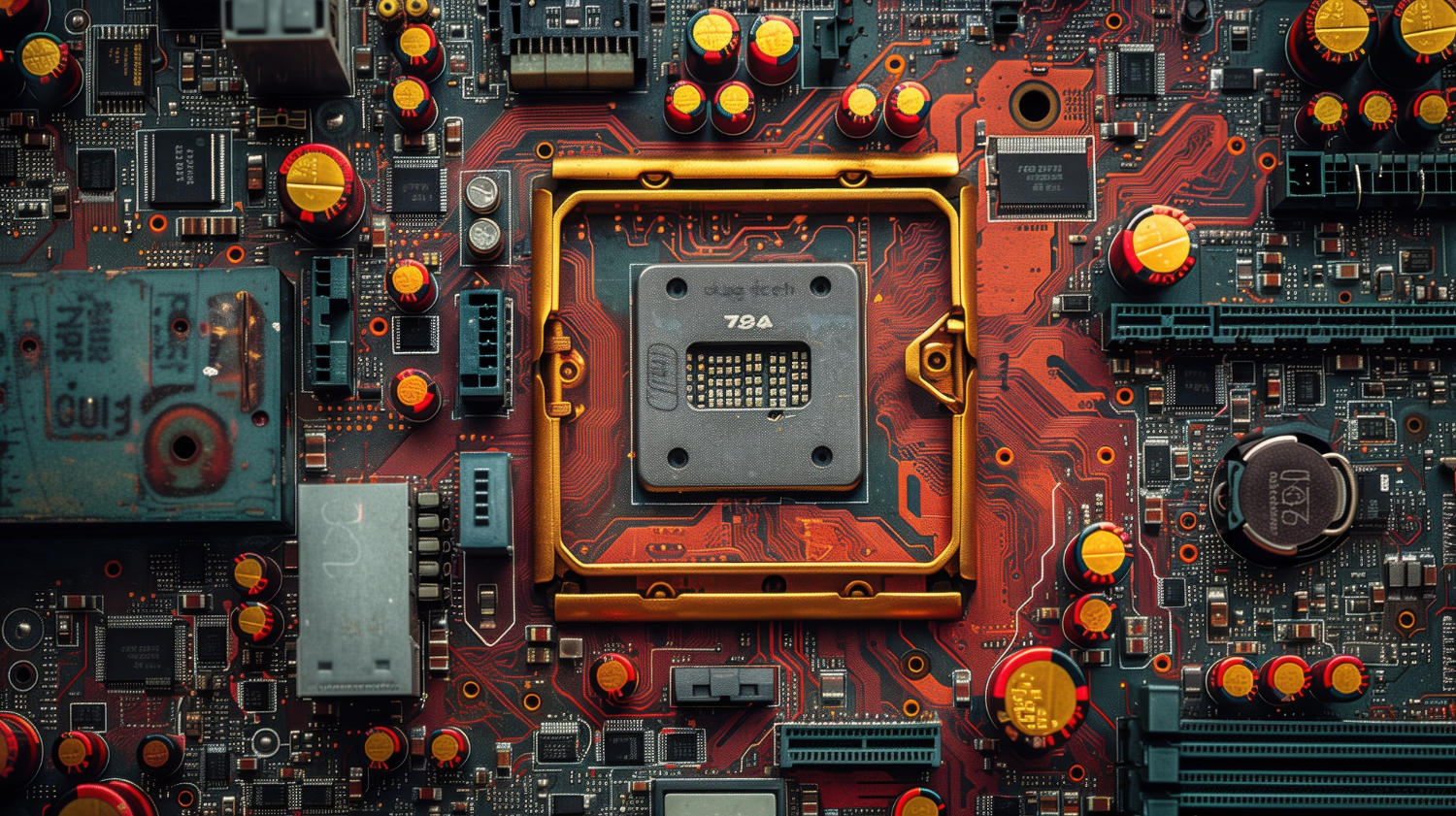
The TPU-versus-GPU question is usually framed as a hardware comparison, but the decision sits closer to procurement strategy than to silicon. Two accelerators that look interchangeable on a datasheet diverge sharply once you account for operational fit: who runs the cluster, how stable the model shapes are, what tooling your team already owns, and where the data physically lives. A serious answer treats the choice as one constrained by your workload regularity and your appetite for managed versus self-operated infrastructure — not by peak TFLOPS.
A tensor processing unit (TPU) is an application-specific integrated circuit designed specifically for dense matrix multiplication and tensor operations. A graphics processing unit (GPU) is a more general parallel accelerator with mature tooling, broad vendor support, and a deep ecosystem of kernels and libraries. Both train and serve modern AI workloads competently. Both scale to large clusters. The interesting question is which one fits your operational reality.
What a TPU is, and why it exists
Dense matrix operations form the computational core that TPUs accelerate most effectively. Its cores, memory layout, and systolic arrays stream data across multiply–accumulate units in a predictable pattern. Many teams adopt TPUs through Google Cloud, where Google’s TPUs are sold as managed fleets with fast interconnects and pre-tuned runtimes. For large-scale projects with steady workloads, this managed path collapses a lot of cluster engineering — drivers, firmware, scheduler tuning, all-reduce topology — into someone else’s operational scope.
TPUs reward consistency. They excel when models fit cleanly into tile-friendly math, when batch shapes are stable, and when input pipelines keep the device fed. Under those conditions, throughput per watt is strong and operational overhead is low. The constraint is the inverse: the regularity that makes TPUs efficient also makes them less forgiving when shapes shift or kernels need hand-tuning.
What a GPU is, and why it still dominates
GPU architectures prioritize versatility, handling graphics, simulation, and AI workloads on shared silicon. It supports mixed workloads, from simulation to rendering to deep learning, and it remains the default substrate for production AI. NVIDIA GPUs provide tensor cores for matrix multiplication, wide memory bandwidth, and a rich ecosystem of kernels, libraries, and profilers. They scale from a single workstation to multi-GPU servers and very large clusters, and many organisations already own them for other tasks.
The dominance is partly technical and largely structural. Tooling is mature: CUDA, cuDNN, NCCL, TensorRT, PyTorch, FlashAttention, and a long tail of vendor libraries cover almost every workload pattern. Community support is broad. Vendor options are diverse. For teams that need low-level control, custom kernels, or unusual dataflows, GPUs are the path of least resistance.
Architecture differences that actually change your model code
Your profiler output will reveal how these hardware differences affect wall-clock training time. TPUs push arrays through systolic grids in a predictable, statically-scheduled pattern; GPUs dispatch many small kernels across thousands of cores with dynamic scheduling. TPUs reward compact, well-structured batches and consistent shapes. GPUs tolerate variety and still deliver speed.
This matters in practice. If your workload has sharp swings in batch composition, variable sequence lengths, or frequent shape changes during research iteration, a GPU simplifies daily life — you spend less time reshaping data to fit the device. If your workload settles into stable patterns at scale, TPUs offer cleaner throughput per watt under high utilisation.
Training and inference: the decision matrix
Both platforms gain speed from FP16 or bfloat16 computation, aggressive batching, and parallel data loading. The operational profile differs. The table below is the structural answer most teams need:
| Dimension | TPU (Google Cloud) | GPU (NVIDIA, on-prem or cloud) |
|---|---|---|
| Workload regularity | High — stable shapes, steady batches | Low to high — tolerates variability |
| Operational model | Managed; runtime handles much of the tuning | Self-operated; full control over every layer |
| Ecosystem depth | Narrower; framework-graph oriented | Broad; CUDA, libraries, profilers, custom kernels |
| Latency profile (inference) | Consistent on regular batches | Strong on small, variable requests |
| Best fit | Large-scale training, transformer pre-training, steady serving | Mixed workloads, research iteration, on-prem deployments |
| Procurement lock-in | High — Google Cloud only | Lower — multi-vendor, multi-cloud, on-prem |
Inference needs predictable latency. TPUs give consistent times when batches are regular. GPUs handle small, variable requests well, especially with kernel fusion and optimised memory paths. Many teams train on one and serve on the other depending on cost and operational skill — there is no single “best.”
Energy efficiency and total cost
Electricity bills scale with deployment size, making power efficiency a critical comparison dimension for TPU advocates. TPUs aim for energy-efficient operation at scale, particularly in shared clusters running at high utilisation. GPUs have improved dramatically too, with tensor cores and smart scheduling cutting idle cycles. In tuned production environments, both deliver good performance per watt — the gap is workload-dependent, not absolute.
Total cost is the wider question. It includes cloud rates, on-prem hardware amortisation, cooling, developer time, and the risk of delays from unfamiliar tooling. TPUs on Google Cloud reduce setup effort for large-scale training but commit you to one vendor and one region structure. GPUs let you reuse skills, tooling, and procurement relationships across teams, often at the cost of more in-house operational work. A realistic plan captures both energy and people costs, not just sticker prices.
Programming model and ecosystem maturity
Graph-level compilation through frameworks like TensorFlow defines the TPU software experience. You write model code, set shapes, and let the runtime — typically through JAX or TensorFlow with XLA — plan the device work. This is fast when the graph compiles cleanly and the shapes are static. It is awkward when you need to drop down a layer to debug a kernel or hand-tune memory access.
GPU programming offers a wide range of libraries and kernels to tune every stage. PyTorch with eager execution, custom CUDA kernels when needed, Triton for kernel authoring, ONNX for portability, TensorRT for inference compilation. If your team needs to tinker, GPUs make that easy. If your team prefers a managed path and your model fits the compiler well, TPUs keep the stack simple. The choice often comes down to which trade-off your engineering culture absorbs more cheaply.
Why does data movement decide more battles than raw FLOPS?
Insufficient I/O bandwidth or preprocessing throughput will starve accelerators long before arithmetic units idle. Batching decisions affect cache behaviour and kernel efficiency. For GPUs, memory bandwidth on modern cards is substantial, and tensor cores thrive when batches are well-formed. For TPUs, input queues and host-to-device streams need predictable timing, or the systolic arrays stall.
Poor data movement wastes energy, increases latency, and hides actual device potential. We see this pattern regularly: teams benchmark accelerators in isolation, pick the one with the higher peak number, and then discover that their input pipeline saturates the device at 40% utilisation. In our experience, the device choice matters less than the I/O architecture sitting in front of it.
When TPUs fit best
TPUs tend to win under a specific combination of conditions:
- You train large transformer models on Google Cloud with steady batches and stable shapes.
- Your team prefers a managed cluster over operating one yourselves.
- Your workload matches the strengths of systolic arrays and tiled math.
- You want strong efficiency at large scale under sustained high utilisation.
- Your data already lives in Google Cloud, so data gravity is on your side.
If you need steady throughput per watt in shared environments and your model architecture is settled, TPUs are a strong candidate.
When GPUs fit best
GPUs tend to win under a wider envelope:
- You need flexibility across machine learning tasks, simulation, and graphics.
- You run training and inference across many services with variable batch shapes.
- You rely on custom kernels, diverse libraries, or tight integration with existing code.
- You want vendor optionality — NVIDIA, alternative accelerators, on-prem, or any cloud.
- Your team’s existing skills and tooling are CUDA-shaped.
If you need a versatile platform that fits many projects and avoids single-vendor commitment, GPUs are the safer default.
Scaling from a single device to a cluster
Multi-device configurations demand attention to network fabric, gradient synchronization, job scheduling, and resilience strategies. On Google Cloud, TPU pods give you a ready-made backbone for large-scale training with the interconnect tuned for you. On GPU clusters, NCCL collectives, InfiniBand or NVLink topology, and Kubernetes-based orchestration sustain throughput when configured well — but the configuration is your problem.
Mixed deployments are common and reasonable. Some teams train on managed TPU clusters and serve inference on on-prem GPU servers; others do the reverse. A single MLOps layer — for logging, model registry, rollout, observability — keeps the operational surface unified while device-specific drivers and profilers plug in underneath. This approach avoids lock-in and lets you place each workload on the device that suits it.
Security, compliance, and data gravity
Auditable infrastructure becomes mandatory in healthcare, finance, and government deployments. Google’s TPUs inside Google Cloud simplify compliance for teams whose data residency and control requirements match Google’s regional structure. GPUs on-prem give you direct control over every layer of the stack, which is decisive when regulations require local processing or air-gapped environments.
Data gravity — the cost and risk of moving large datasets — often decides the platform more than any benchmark. Keep data close to where training happens. Petabyte-scale shuffling between regions destroys both economics and timelines.
A practical selection playbook
A pragmatic path to choosing well:
- Define the model family, input shapes, and batch patterns for your actual AI workloads — not the workload you wish you had.
- Measure energy per sample and time per epoch on a representative TPU and a representative GPU, with realistic input pipelines attached.
- Factor in developer time, tuning effort, and the operational support your team can sustain.
- Decide where to run: on-prem, hybrid, or single-cloud. Data gravity usually answers this.
- Pick the device that meets your accuracy and latency targets while staying within energy and cost envelopes.
Repeat the tests as models evolve. The right answer in 2024 may not be the right answer in 2026.
Future outlook
Each generation of TPU and GPU silicon brings architectural refinements and expanded memory hierarchies. TPUs push toward cleaner scaling and tighter integration inside Google Cloud. GPUs push toward broader features, faster tensor operations, and stronger inference compilation. Compilers are getting smarter, schedulers more adaptive, and per-request energy more closely measured. The direction is consistent: faster results, fewer watts, simpler operations. The decision framework above will still apply; the specific cut-off points will shift.
Where this fits in evaluating a consulting partner
A poor advisory relationship generates compounding inefficiencies that dwarf the direct consulting expense. A staff-augmentation firm will rent you engineers who execute whatever direction you give them — which means you absorb the technical risk of an accelerator choice you may not be qualified to make alone. An outcome-owning engagement structures the decision as part of the deliverable: the partner runs the comparative tests, takes a position, and is accountable for the result.
If you are evaluating consulting firms on this kind of work, the question to ask is whether they will produce a risk-structured engagement plan with explicit milestone gates and pivot points before quoting hours. If they cannot, the engagement is rental, not delivery. For the broader framework, see our note on what to look for when evaluating AI consulting firms.
Frequently asked questions
What should I look for when evaluating AI consulting firms, and what should I screen out?
TPUs excel at large-scale transformer training with their matrix multiplication architecture, while GPUs offer flexibility across diverse workloads—but workload characteristics, not hardware specifications alone, should drive your choice. Screen out firms whose proposals are priced purely in hours, whose case studies describe activities rather than outcomes, and whose engagement structure shifts all technical risk to you.
How do boutique AI consultants differ from Big Four consulting firms in scope, methodology, and accountability?
Boutique technical firms typically own a narrower scope with deeper engineering accountability — they take a position on architecture, run the comparative tests, and absorb the technical risk of being wrong. Big Four firms usually operate at broader strategic scope with subcontracted execution, which spreads accountability across layers. Neither model is universally better; the right choice depends on whether your need is strategic-and-broad or technical-and-deep.
Which evidence (case studies, references, technical depth) genuinely separates capable firms from rebranded ones?
Ask for engagement artifacts, not just outcome summaries: the risk assessment, the milestone gate criteria, the decision documents at pivot points. Capable firms can produce these because they actually built them; rebranded firms cannot. Technical depth shows up in conversations — ask how they would compare TPUs and GPUs for your specific workload and listen for whether they ask about your input pipeline, data gravity, and operational constraints before quoting a recommendation.
How much does an AI consultant cost, and what determines the price band for a serious engagement?
Serious AI consulting engagements are priced against scope and risk transfer, not hours. The price band is determined by how much technical risk the firm absorbs (more risk transfer means higher price but better odds of success), the depth of engineering required, the data and compliance constraints, and the duration of the engagement. Cheap engagements are typically cheap because the risk stays with you.
Which contractual structures (fixed-scope, time-and-materials, outcome-based) protect the buyer in AI work?
Time-and-materials transfers all risk to the buyer and is appropriate only when scope is genuinely uncertain and the buyer has strong internal technical leadership. Outcome-based contracts with milestone gates and explicit pivot criteria protect the buyer best in AI work, because they force the consulting partner to take a defensible technical position. Pure fixed-scope contracts work for narrow, well-defined problems but become adversarial when AI realities require mid-engagement pivots.
How do I evaluate a consulting firm’s ability to hand off to my internal team rather than create dependency?
Ask what the engagement produces beyond the working system: documented architectural decisions, runbooks, training material, and a defined handoff phase with criteria for when handoff is complete. Firms that build dependency tend to keep documentation thin and architectural rationale informal. Firms that hand off well treat the documentation and the handoff phase as deliverables with the same rigor as the technical work itself.
For broader engineering context, see our TechnoLynx engineering services practice and how we apply structured engagement principles to accelerator selection and large-scale AI deployments.
Three criteria that resolve your accelerator choice
Model shape, data volume, and library support constraints filter viable hardware choices before benchmarking begins. If Choosing TPUs GPUs Modern is on your roadmap, the next step is to map it onto your own constraints rather than copy a reference architecture. Image credits: Freepik